

What is a Product?
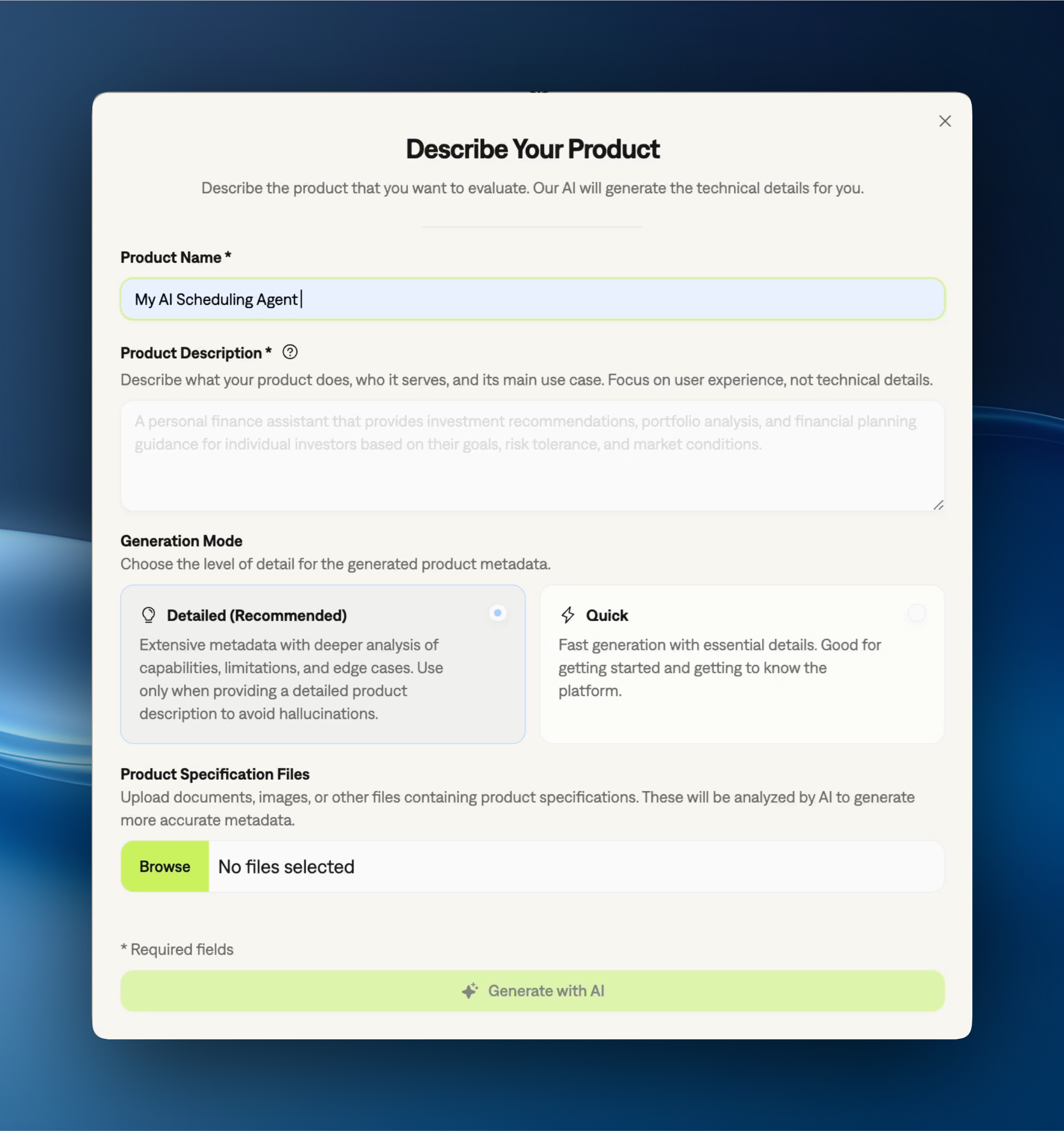
A product in Galtea represents a functionality or service that you want to evaluate. Examples include QA chat, Summarization, or Content Generation.Even if your organization has a single public-facing product (like a website or dashboard for all user interactions), you should define separate Galtea products for each distinct functionality you want to evaluate.
SDK Integration
The SDK allows you to list existing products, retrieve specific products by their ID or name, and delete products. Product registration is done through the Galtea dashboard. See the Product Service API documentation for more details.Product Service SDK
Manage products using the Python SDK
Product Properties
Text
required
The name of your product.
Example: “Document Summarizer”
Text
required
Write what the product must do and what you want to test or evaluate: what it must get right, what it must refuse, and where it must be accurate.
Learn how to write effective product descriptions in our detailed guide.Example: “A mobile sales assistant for smartphones. It must recommend only phones that are in stock, never quote a price it cannot find in the catalog, and hand over to a human when the customer asks about an existing order.”
- What to include: The behaviors that must hold, the limits the product must respect, and the results that must be correct.
- What to avoid: A marketing summary. Concrete behavior produces specific specifications; a summary produces generic ones that would fit any AI product.
Learn how to write effective product descriptions in our detailed guide.
Text
required
List what your product is designed to do and what information it has access to. This helps Galtea generate targeted test cases.Example: “Can answer questions about phone specifications, recommend devices based on user preferences, can access past user purchases, compare prices across models, and provide information about warranties and accessories.”
Text
required
List what your product cannot do — information it does not have access to, tools it cannot use, and its general scope boundaries. This prevents generation of irrelevant or misleading test cases.Example: “Cannot process purchases, access customer account information, or provide technical support for device repairs.”
Text
Define specific rules and instructions for how the product must behave in certain situations. Policies ensure consistent, safe, and compliant responses.Example: “If asked for guaranteed investment returns, respond that all investments carry risk. Always end investment advice with a ‘consult a professional’ disclaimer.”
Policies consist of clear instructions, such as “always answer with x if asked about y” or “add [specific disclaimer text] at the end of your responses when asked about z.”
Enum
The risk level of the product under the EU AI Act.
Possible values:
GPAI: General-Purpose AI Model (Article 3(63), Title VIII A - Chapter 1).GPAI Systemic: General-Purpose AI Model with Systemic Risk (Article 52a, referring to criteria in Article 52c).Special System: AI Systems with Specific Transparency Obligations (Article 50).High: High-Risk AI System (Article 6, Annexes I & III).Prohibited: Prohibited AI Practices (Article 5).Legal definitions available in the Rules for trustworthy artificial intelligence in the EU.
Enum
The operator type of the product under the EU AI Act.
Possible values:
Authorised Representative: An entity established in the EU, appointed by a provider from a third country, to act on their behalf regarding AI Act obligations.Deployer: An entity that uses an AI system under its authority, except when the AI system is used in the course of a personal non-professional activity.Distributer: An entity in the supply chain, other than the provider or importer, that makes an AI system available on the Union market.Importer: An entity established in the EU that places on the market or puts into service an AI system bearing the name or trademark of a person established outside the Union.Product Manufacturer: The manufacturer of a product that incorporates an AI system.Provider: An entity that develops an AI system or that has an AI system developed and places it on the market or puts it into service under its own name or trademark.Legal definitions available in the EU AI Act.
Enum
Which sessions Galtea closes automatically after they stay inactive too long. Set it through the API; the SDK only reads it.
Possible values:
None: never close sessions automatically.Development: only close development (test) sessions.Production: only close production sessions.All: close both development and production sessions.The API default isAll.
Number
How many minutes a session can stay inactive before Galtea closes it automatically.
The API default is
30.Map
One value for each attribute of the product key, for example
service.namespace and service.name. An OpenTelemetry trace whose resource carries these values, and Galtea fact attributes (or attributes named in the version attributes) but no galtea.product.id, goes to this product. Two live products of one organization cannot hold the same values. Set it in Advanced Options of the product edit form, or with POST /products or PATCH /products/{id}. See Route Traces to a Product by Resource Attributes.List of text
The resource attribute names that identify this product, 1 to 10 names. Leave it
null to follow the product key of the organization. Set it to give this product its own key.List of text
The resource attribute names whose values make up the facts of a version, for example
service.version and app.agent.model, 1 to 32 names. Leave it null to follow the version attributes of the organization, and then it follows every later change. Set it to give this product its own list, which replaces the organization list. A product list cannot be empty. An OpenTelemetry trace that carries no galtea.version.id and no galtea.version.fact.* attribute goes to the version whose facts these attributes make up. Set it in Advanced Options of the product edit form, or with POST /products or PATCH /products/{id}. See Name the version.Object
Reads the input of each turn from a named non-LLM span, for a user message that no LLM span carries. It has four parts:
spanName (the exact span name), attribute (the span attribute that holds the JSON), path (a JSONPath to the text, starting with $), and an optional predicate that applies the rule only when a value matches. Leave it null to follow the rule of the organization. A version rule overrides this one. Set it in Advanced Options of the product edit form, or with POST /products or PATCH /products/{id}. See Recover the Turn Input from a Non-LLM Span.Object
Reads the output of each turn from a named non-LLM span, for a reply that no LLM call produced. It has the same four parts as the input source rule. Leave it
null to follow the rule of the organization. A version rule overrides this one. Set it in Advanced Options of the product edit form, or with POST /products or PATCH /products/{id}. See Recover Replies That Do Not Come from the LLM.Enum
What happens when you try to add an inference to a session that is already closed.
Possible values:
Reopen And Reevaluate(the default): keep the inference and open the session again. The session’s monitor evaluations move to theOutdatedstatus, so a Monitor scores the session again once it closes for good. A development (test) session reopens the same way and only stores the turn, because it has no monitor evaluations.Reject: refuse the inference and return an error.Ignore: silently drop the inference.The API default isReopen And Reevaluate.
Enum
Who consumes the product’s output.
Possible values:
Conversational: a person exchanges several turns with the product.Human Direct: a person reads the output directly, with no dialogue.Programmatic: another system consumes the output and no person reads it directly.The onboarding AI pre-fills a suggestion. Change it or clear it at any time in the dashboard or through the API; the SDK only reads it. An unset value means the product is unclassified. The dashboard also lays out a session’s turns from this value.Conversationaland an unclassified product show a User and Assistant dialogue.Human DirectandProgrammaticshow an Input panel above an Output panel.
Enum
The one dominant task the product performs on its input.
Possible values:
Conversational Assistance: helps a person through a dialogue.Question Answering RAG: answers questions from retrieved documents.Document Extraction: pulls structured fields out of a document.Document Generation: writes a new document from instructions or data.Summarization: shortens a longer input while keeping its meaning.Classification: assigns the input to one of a fixed set of labels.Translation: renders the input in another language.Correction: fixes errors in the input, such as grammar or code.Agentic Workflow: plans and runs several steps or tools to reach a goal.Other: none of the tasks above.The onboarding AI pre-fills a suggestion. Change it or clear it at any time in the dashboard or through the API; the SDK only reads it. An unset value means the product is unclassified.
How Everything Connects
The cross-entity diagram now lives on the Concepts overview — see it there along with reading guidance and per-entity links.Related
A product in Galtea is associated with:Concepts overview
How Galtea’s concepts connect — diagram + per-entity quick reference.
Version
A specific iteration of a product
Dataset
A dataset of test cases for evaluating product performance
Specification
A testable behavioral expectation for a product
Run
The record of one evaluation launch